EasyCatalog on video: ten demonstrations on real projects
These ten demonstrations come from real projects — a wine merchant’s leaflet, a toy catalogue, labels with barcodes, a three-hundred-page guide. They are commented in French, and they show what goes wrong as much as what works. That is often more useful than a feature list: you see the move, and you see the moment when the data decides the result.
One remark before you watch
None of these videos shows an ideal project. In each of them, the time spent on the layout is short and the time spent on the data is long: that is the real proportion. When an automation fails, the plug-in is almost never the cause — it is a key that did not identify what everyone assumed, or a column that changed name between two deliveries.
Understanding the principle
Two demonstrations to understand what the plug-in does before going into detail. The shorter one lasts forty-four seconds.
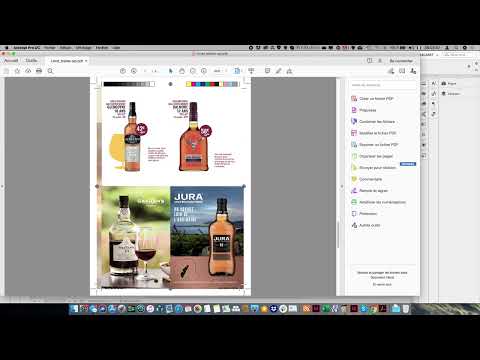
EasyCatalog demo on wine merchant data
The most watched demonstration on the channel, and the most complete one for discovering the principle: you start from a product file, connect it, set a template, and the pages fill themselves. The wine merchant case is representative because the entries are short but numerous, and the slightest structural deviation shows immediately on the page.

EasyCatalog in 44 seconds: the principle
If you only have a minute to understand what EasyCatalog is for, this is the one. The plug-in links a database or a file to an InDesign layout, and produces the pages automatically. Everything else — the rules, the templates, the synchronisation — follows from that principle.
Paginating, assembling, rolling out
What happens when volume arrives: hundreds of pages, several layouts, several languages. That is where data preparation decides everything.

Toy catalogue: automatic page assembly
Twelve minutes on a real consumer catalogue, with what automatic pagination means in practice: templates that must hold products of different sizes, and rules that decide which layout applies to which product.

Multilingual catalogue: two layouts and translation handling
The longest video in the series, and the one that answers the question that comes up most often in training: how to roll a catalogue out in several languages without redoing the layout. The answer lies in the structure of the data, not in InDesign — and that is what the demonstration shows, step by step.


Something other than a catalogue
Product sheets, labels, lifestyle visuals, corrections in production. The name of the plug-in is misleading: as soon as a document repeats a structure while changing the values, the same mechanism applies.

EasyCatalog is not only for catalogues: product sheets
The name of the plug-in is misleading. As soon as a document repeats a structure while changing the values — a product sheet, a technical data sheet, a directory page — the same mechanism applies. This video shows the product sheet case, which is often a team’s first profitable project.

Kitchen catalogue: products and lifestyle photography
A case where the image counts as much as the data. The difficulty is not placing the photos, it is deciding which ones are driven by the data and which ones stay in the hands of the layout artist.


Going further
If one of these situations looks like yours, what comes next depends on what you are after. To understand the principle first: What is EasyCatalog?. For an error message blocking a production run: the error messages explained (in French). To check a file before connecting it: the free demonstration, which runs in the browser without the file ever leaving your machine.
And if the subject is a real project rather than curiosity, it is training or support that saves time — not one more video.